Introduction: Putting that knowledge into practice
There are lots of resources out there that team you how to optimize your website for SEO, and teaches you all the best practices and everything, but very rarely do they give you any way to put that knowledge into practice and set up your own SEO strategy, thus giving you the proper experience, and hard examples to show off to potential employers, or clients, when looking for work.
I’m no exception. Recently, I talked a big game about becoming the SEO expert at my company, and how I will become the authority on SEO best practices.
In this post, I’m going to put all that experience and knowledge into practice and optimize it for SEO, and see if I’m able to get clicks and views and, perhaps, some interest from employers, or agencies, or small business owners, who need help with optimizing their SEO. (I’m currently taking clients!)
So, let’s get into it, let’s optimize this blog post.
Determine Relevancy
The first thing you need to do is figure out what the point of your blog post is, to understand exactly what you’re trying to communicate.
Do you want to talk about how to do SEO? Or do you want to talk about a cooking recipe?
The game of SEO is when you’re trying to anticipate what people are searching for on Google, and then provide content that will match that search activity.
In the case of SEO, small business owners are, very likely, searching for things like, “how do I get people to come to my website?”
Or, “How do I set up good SEO?”
Or, “SEO how to”
If you want your page to pop up for those searches, then the content that you want to create would have the intention of trying to answer those questions. Give them a reason to look at your search result, and say, “oooh, what’s going on here?”
So, if they’re searching for ways to improve SEO, then create content that tells them how to do good SEO.
The same applies to any other subject, whether it’s car repair, or chicken dinner cooking. Create content that is relevant to those searches.
Keyword Research
Now that you know what you’re trying to communicate, now you have include the right keywords that will match Google’s search algorithms.
When people get onto Google, they often search for very specific words, or phrases. They might search for, “how to –” and whichever subject that they’re trying to learn about.
Or, they might be searching for something more specific. The phrase, “How to,” is a highly searched for term in and of itself, and it can be appled to any subject. “SEO” is also a highly searched for word.
The idea of keyword research is to understand what kind of words that people use, and then incorporating those keywords into the content of your page in a relevant, and high-quality way. The keywords themselves, essentially, serve as signals to Google that those keywords are used into that website, letting Google know that this content exists, prompting Google to look further into the page to determine relevancy.
It should be emphasized, keywords for SEO do not exist in a vacuum; Keywords are a great way to signal to Google that the page is relevant, but it’s still up to the page owner to make sure that content is relevant to the user.
In other words, if you include keywords specific to SEO, such as, “how to,” and “SEO,” and even, “How to SEO,” but then the user comes to the page and find out that the page is actually talking about a chicken dinner recipe, then the content will be irrelevant to the user, and Google will not serve up that page.
Google is sophisticated enough to understand what the intent of the search is for, and if there’s a web page that’s not relevant to that search, then Google will not serve it up.
Keyword Research Tools
There are lots of tools out there that will help you with keyword research, and keyword planning.
There’s Moz, which has a few free SEO tools, including an SEO audit feature, and keyword research.
Let’s do an example, a quick domain analysis of a branding agency in NYC, Crafted NY.
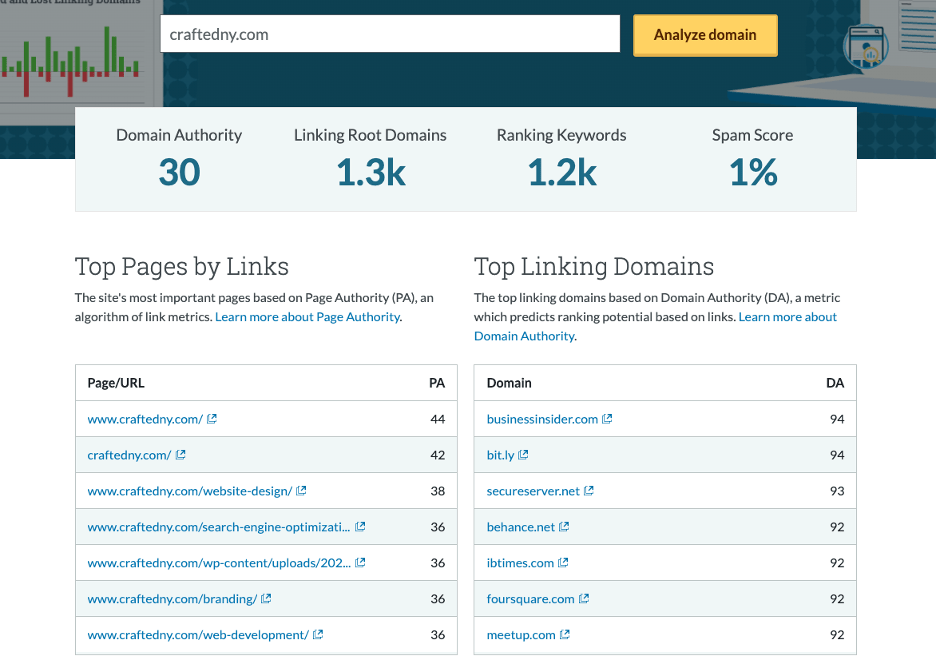
Here, we can see the domain authority, ranking keywords, spam score, and the page authority for each page on the site.
Further still:

Some of the top keywords that are bringing traffic to the page.
Let’s take one of those top keywords, “crafted ny careers,” and do a keyword analysis.

Here, Moz will give you the monthly search volume for that keyword, the keyword difficulty, and it will also give keyword suggestions that might be relevant to the website. Those keyword suggestions will help you with further SEO keyword research. We now have an idea of what keywords might be relevant to this page based on the keywords that already exist, and based on data.
That brings us to another tool, Google Keyword Planner.
In Google Keyword Planner, there’s a feature that will help you discover other keywords related to the keywords that you chose.
Let’s take two of the top keywords mentioned above: digital agency new York, and new York branding agency.
You can go to Google Keyword Planner, and use those two phrases to get other keyword ideas:
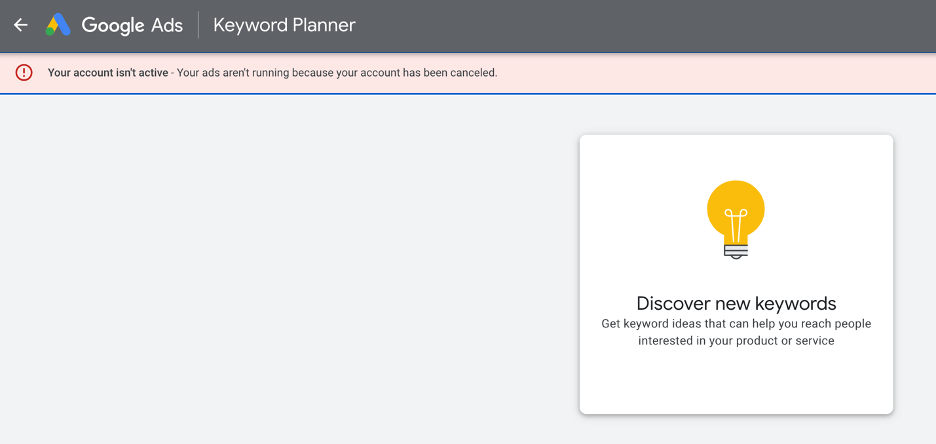
Run them through that feature:
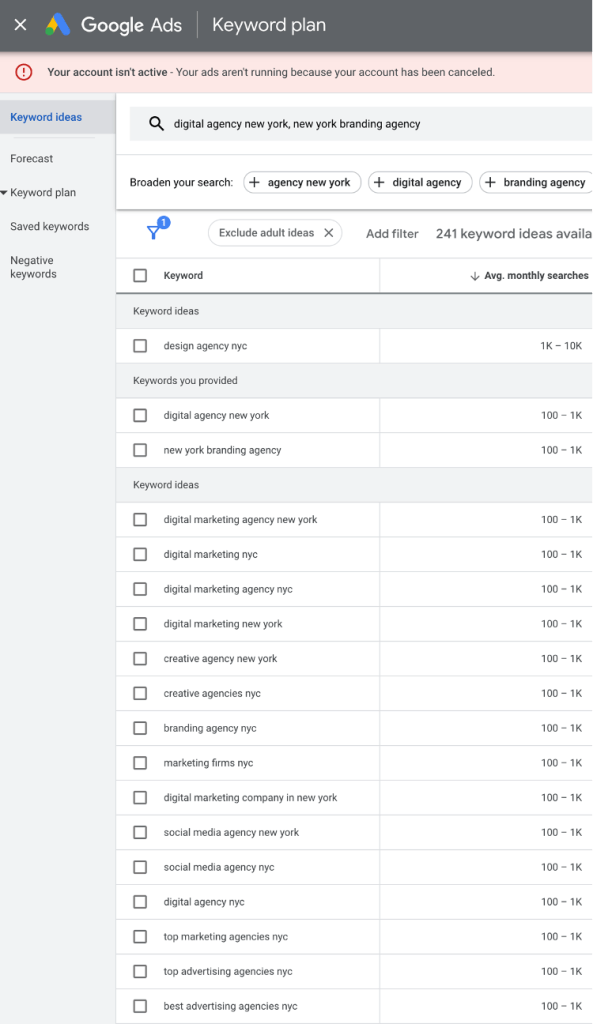
Now you have a whole library of keywords that you can use to include into your website.
This tool shows how often these keywords are searched for, and therefore, what people are interested in finding.
Now that you know what are some popular, and highly sought after keywords, it’s now up to you, the business owner, the entrepreneur, to use those keywords in creative and relevant ways to make sure your content is useful for your audience.
How do you do that? Well, hit me up and we’ll discuss….
Anyway, moving on, because there’s more.
Headlines, tags, and page organization
The organization of a page make a huge difference, because Google will actually look at how the page is organized and determine if it’s good quality or not. If a page isn’t very well organized, well, then Google will determine that it’s not very high quality, and it will raise the pages from your competitors.
When developing a web page, or a blog post, most CMS’s have a feature that will tag certain snippets of content as headlines. Headlines are obvious, but as a refresher: Most blog posts have title headlines, and there’s a series of sub headlines, or rather, the headline for smaller bits of content in a page. Each of these headlines come with a tag – H1 for title headlines, and H2 for sub headlines.
Those tags are important; they serve two purposes: They help organize the page, stylistically, for the user, and they also signal to Google how the page is organized.
If you look back through this blog post that you’re reading, you’ll see that there’s a clear title headline, and then there’s a series of sub headlines that, basically, lead the reader into the next section of information.
So, it looks something like this:
Title: How to do SEO
Sub 1: Introduction
Sub 2: Relevancy
Sub 3: Keyword Research
Sub 4: Headline Tagging
So, you can see that each paragraph and headline were all very intentional. The purpose for this is to organize the content into an easy-to-follow manner, and to signal to Google that there’s a logical structure, and, therefore, high quality.
It’s also worth noting that relevant keywords can also be included, and should be included, in the headline tags.
There are tools to analyze how the page is organized. The tool that I use is called SEO Minion, and it shows some basic, back-end SEO information on a website; GREAT for competitive research.
Let’s do a quick audit on the home page for my own blog:

You’ll see that SEO Minion serves up its audit on the right side, and it shows me a few different ways that I can improve the back-end SEO for my own blog.
For one: I have two H1 headline tags. A best practice is that there should be only one. (You can have more than one H1 headline tag, but a best practice is simply that you should have only one.)
For two: The description is way too long. A suggested length is 150 characters, and, right now, I have 329 characters. So, that needs to be fixed.
To Recap:
There are a million more techniques to help optimize your website for SEO, and there are entire books written on the subject.
But, to recap, we walked about:
- The relevancy of your content
- Conducting keyword research
- Headline tags and page organization
This is all a good way to start your SEO optimization. This rabbit hole does go much deeper, but it’s not hard once you get the hang of it all.
But hey, if you need help with SEO, feel free to drop a line. 🙂
 GYoung Digital Blog
Leave a comment